Features

Download Bilibili videos

Paste a link, choose a quality and save it locally.

01

Add and select content

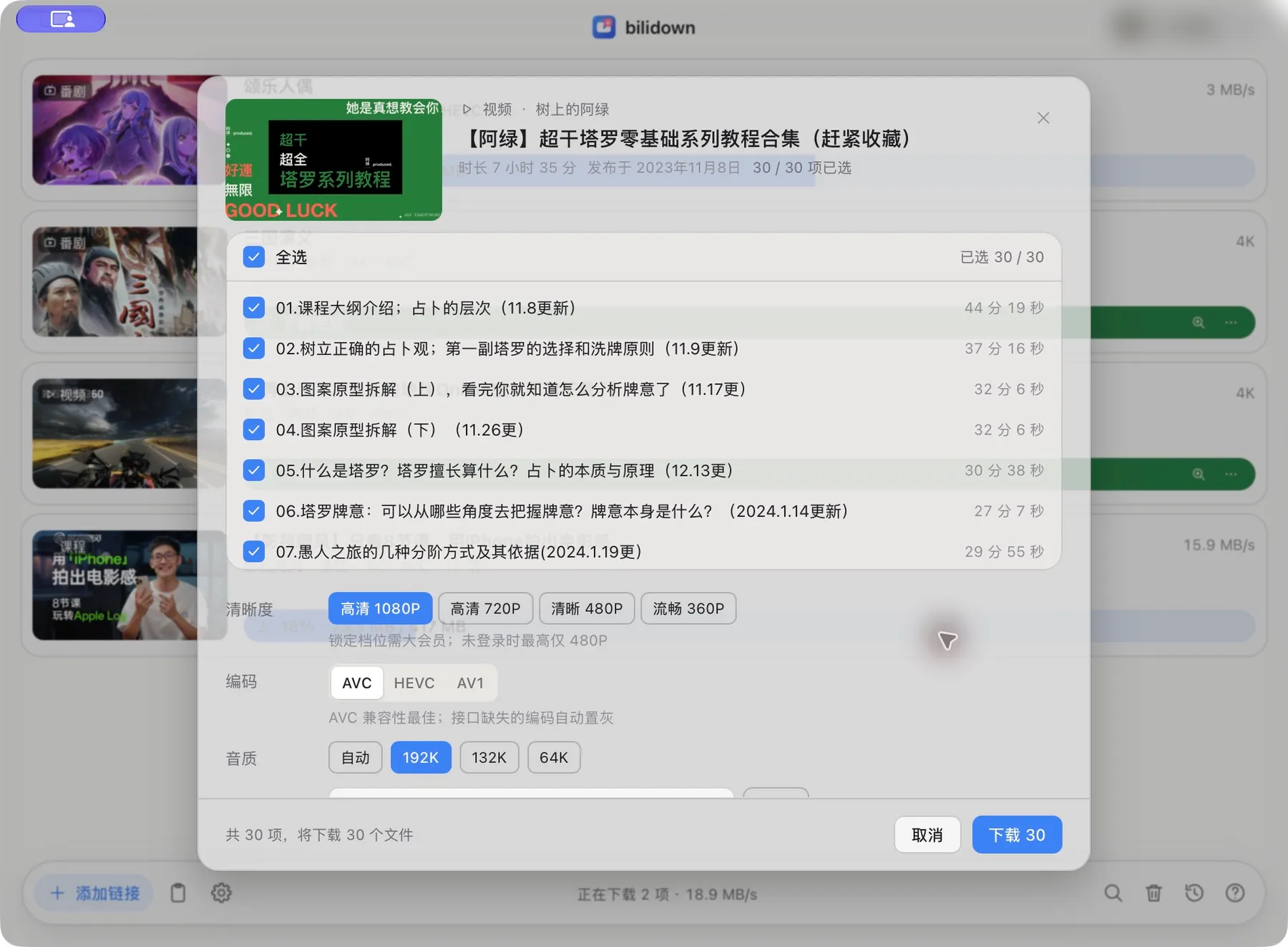
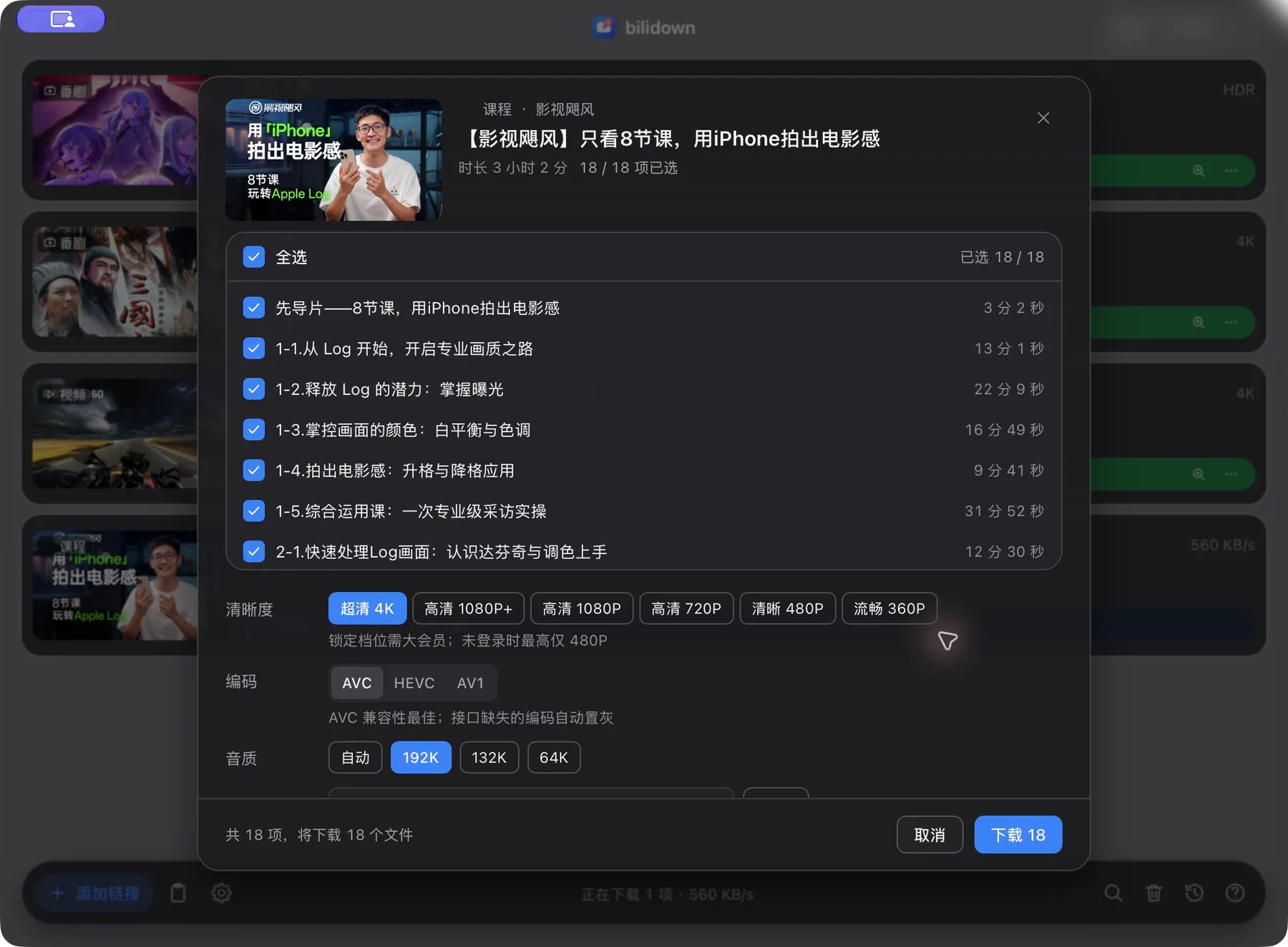
Paste a Bilibili link. Choose individual episodes and collection items.

  • Videos, Bangumi, courses and audio
  • Common Bilibili share links
  • Add several links at once
The real bilidown multi-part picker with 30 entries and quality options The real bilidown multi-part picker with 30 entries and quality options

Multi-item selection · Real interface from the current release

02

Download queue

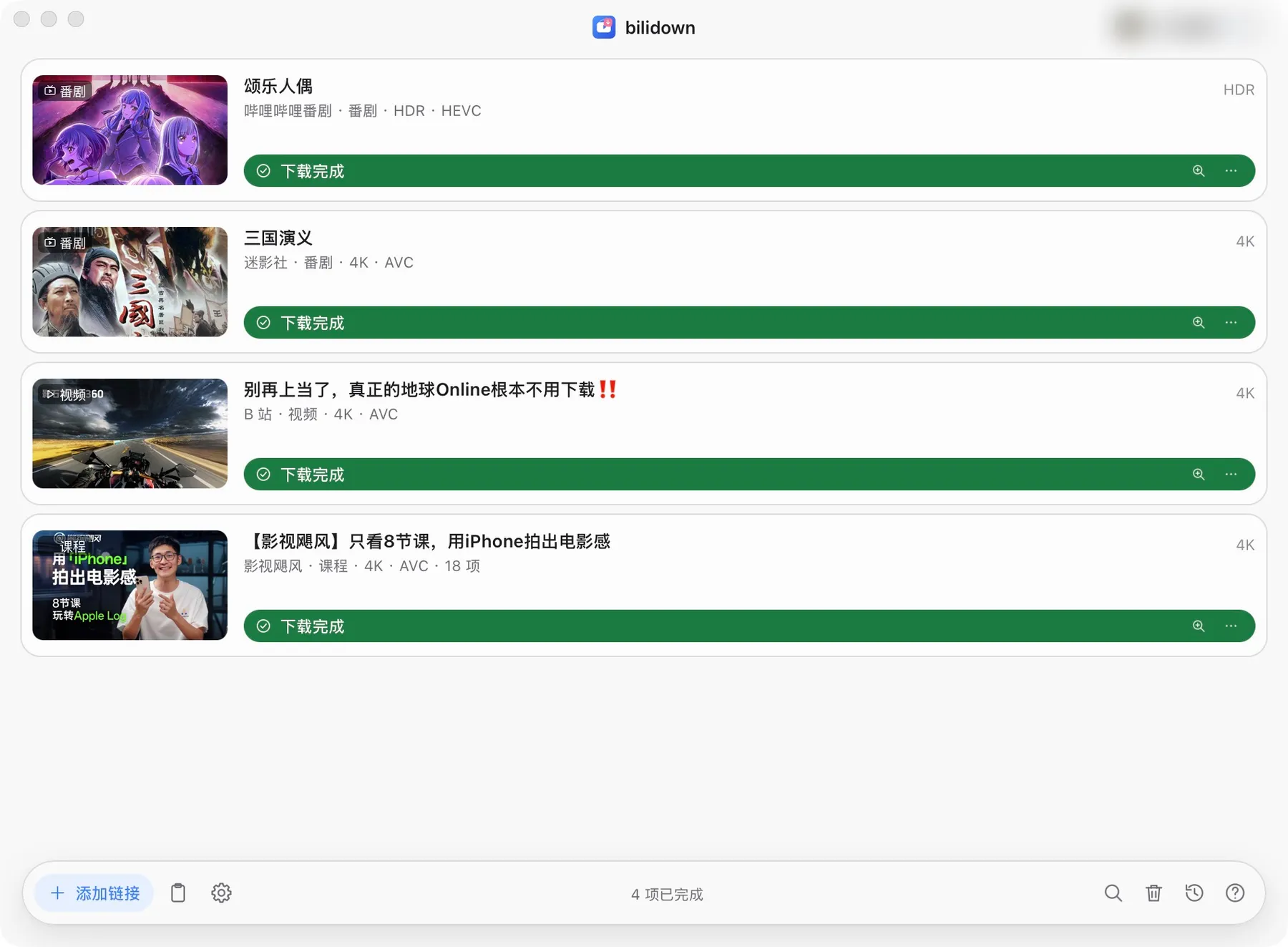
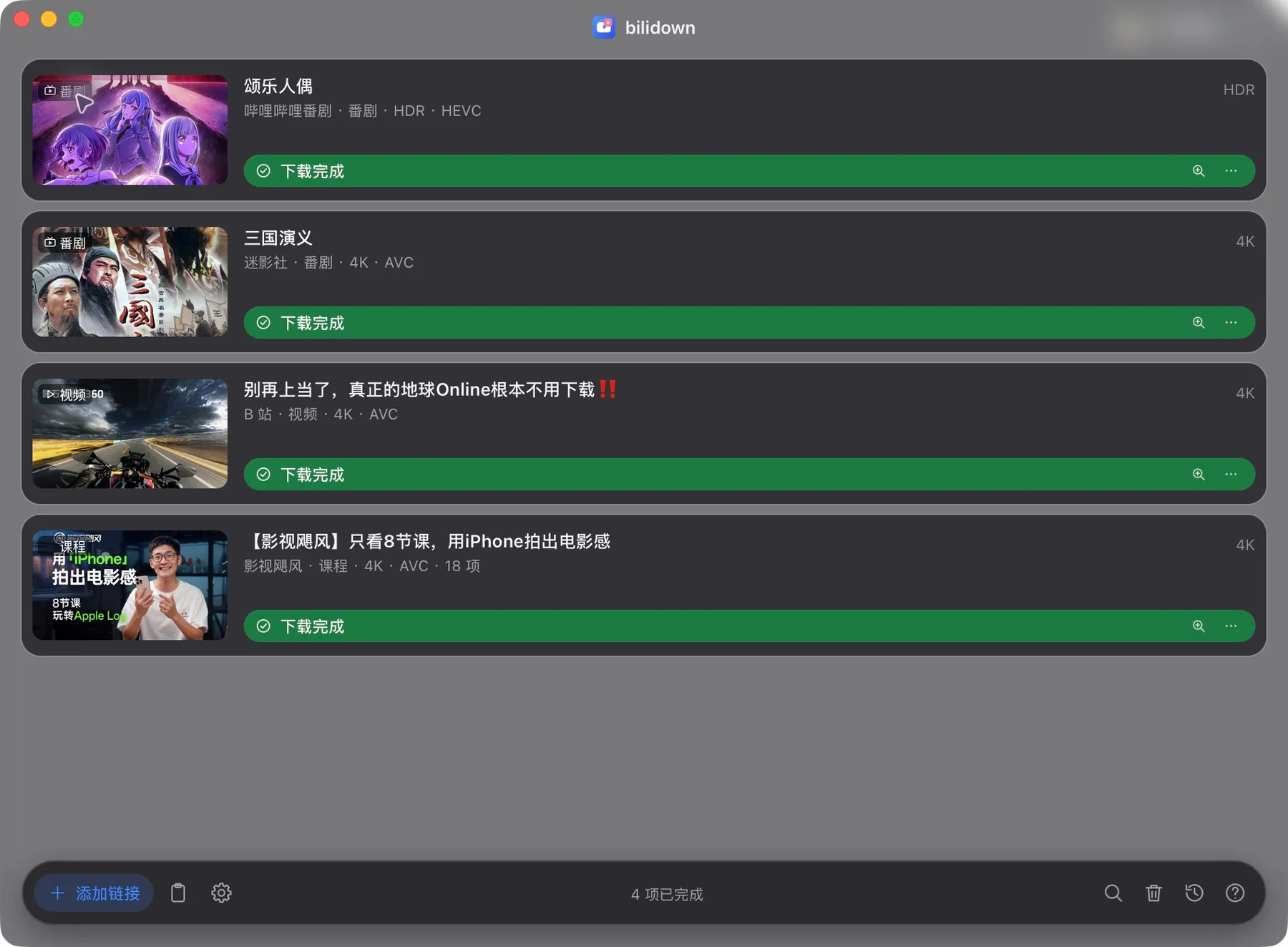
Downloads stay in a local queue and can be paused, resumed or retried.

  • Download 1 to 8 tasks at once
  • Unfinished tasks remain after exit
  • Open or reveal finished files
The current bilidown download queue showing four completed anime, video and course tasks The current bilidown download queue showing four completed anime, video and course tasks

Download queue · Real interface from the current release

03

Quality and codecs

Quality follows your account permissions. ffmpeg is included.

  • Choose the best available or a specific quality
  • AVC, HEVC and AV1 support
  • Keep source audio or convert to MP3
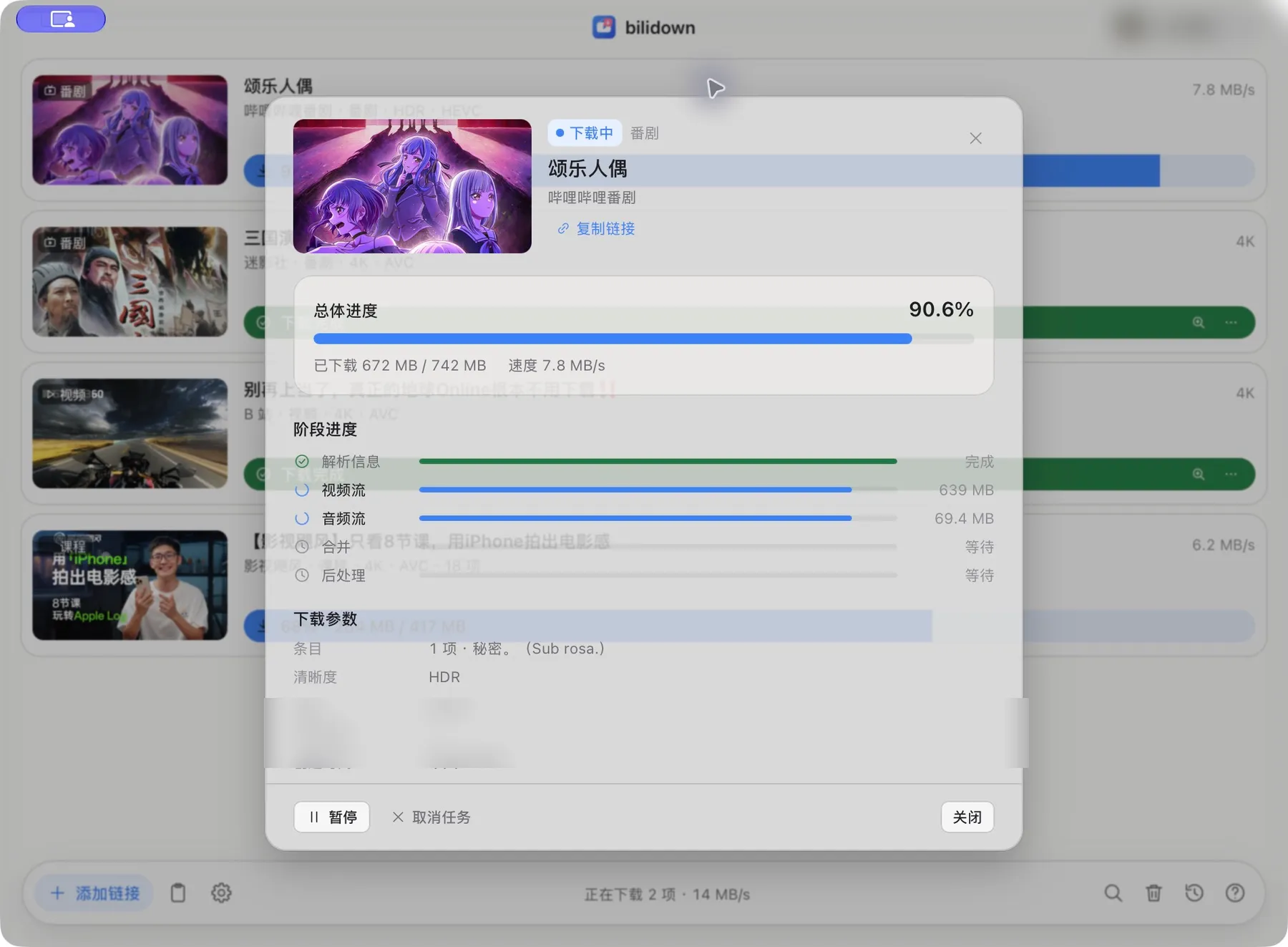
The real bilidown task detail view with overall progress, stages and download settings The real bilidown task detail view with overall progress, stages and download settings

Task details · Real interface from the current release

04

History and files

Keep local history, search records and reveal downloaded files.

  • Search and filter local history
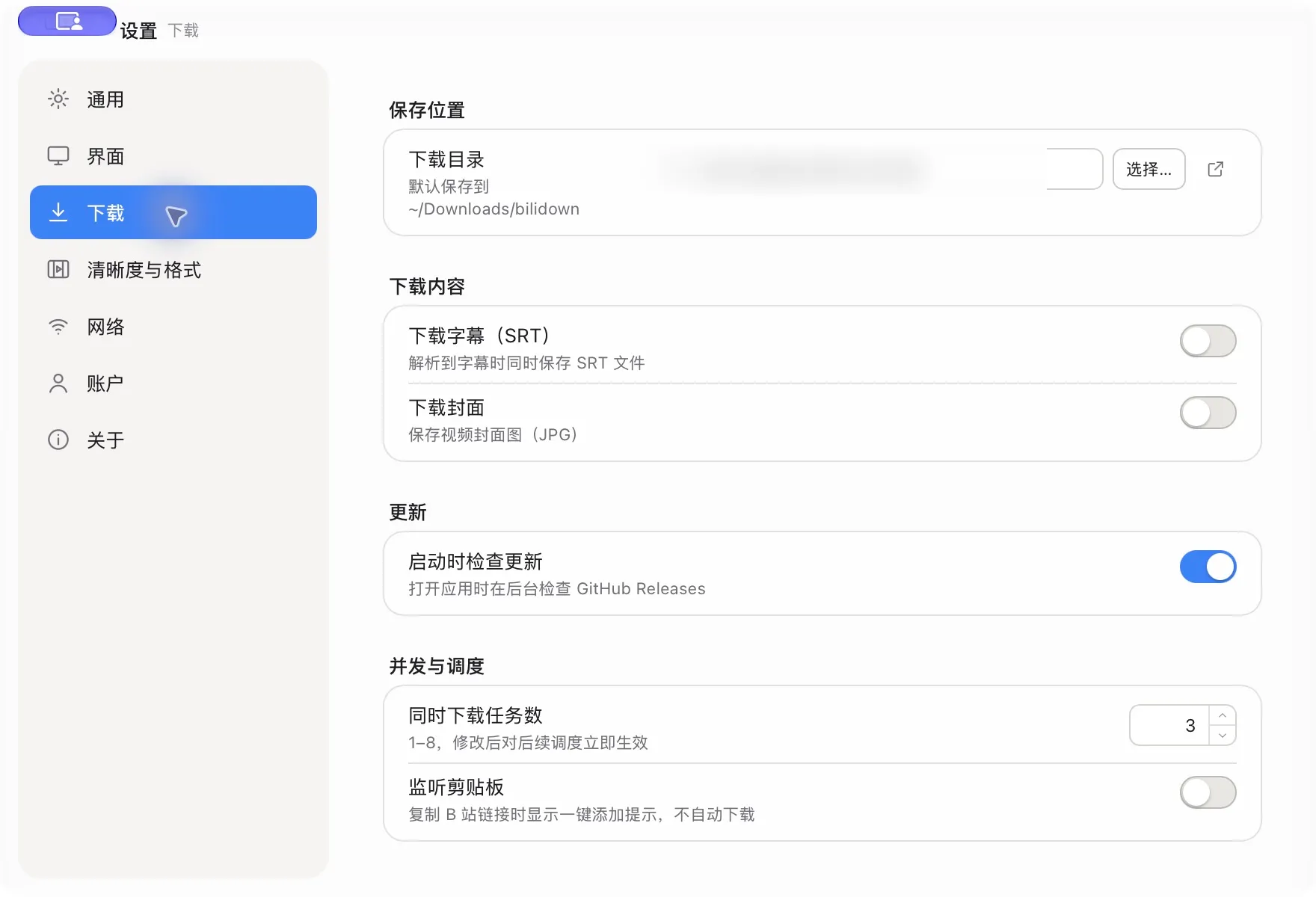
  • Optional SRT subtitles and JPG covers
  • Open or reveal downloaded files
The real bilidown download settings with SRT subtitle and JPG cover switches

Download options · Real interface from the current release

05

Account and sign-in

Scan a Bilibili QR code when you need quality available to your account.

  • QR sign-in without a password
  • Cookies stay on this device
  • Anonymous quality remains available
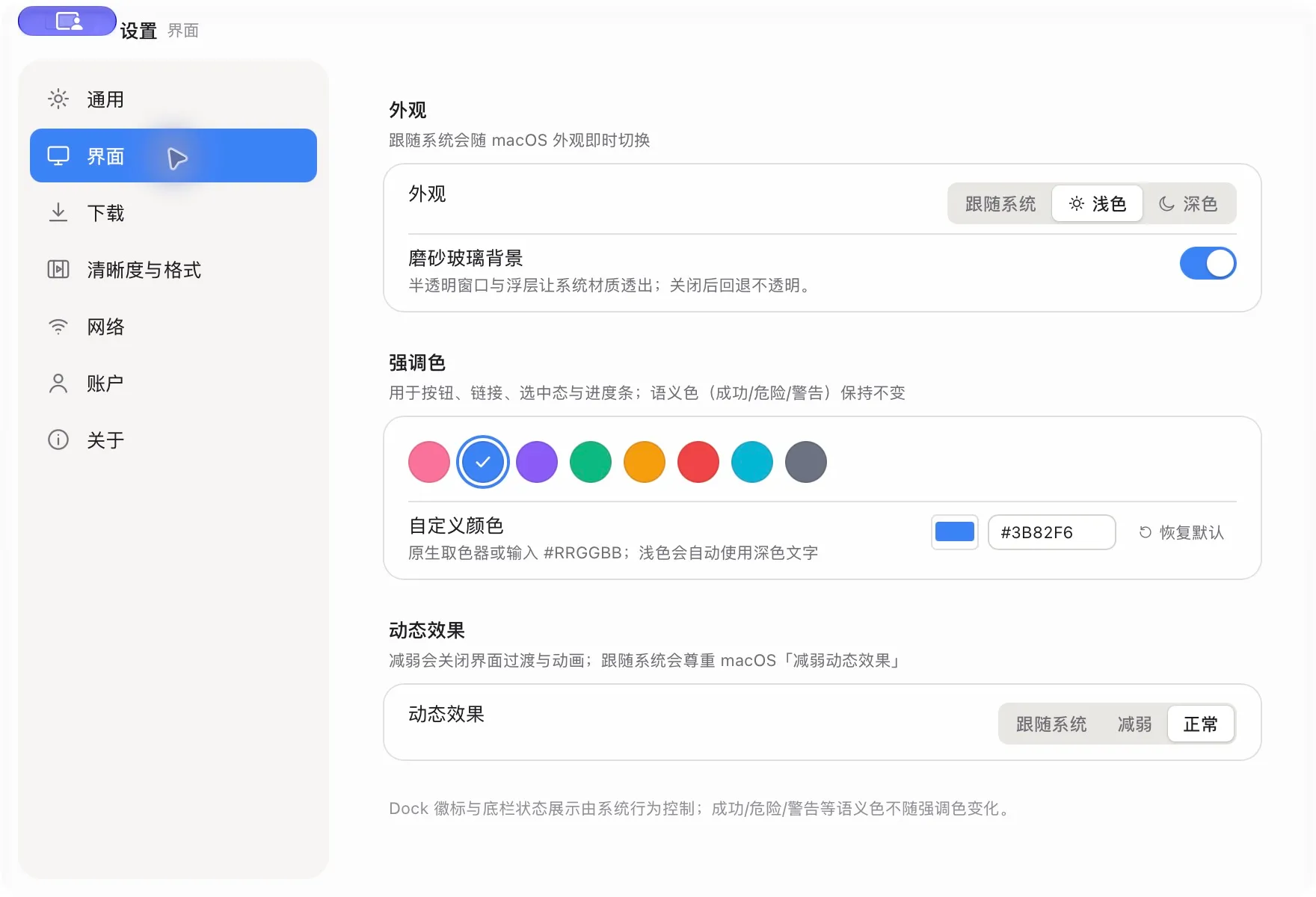
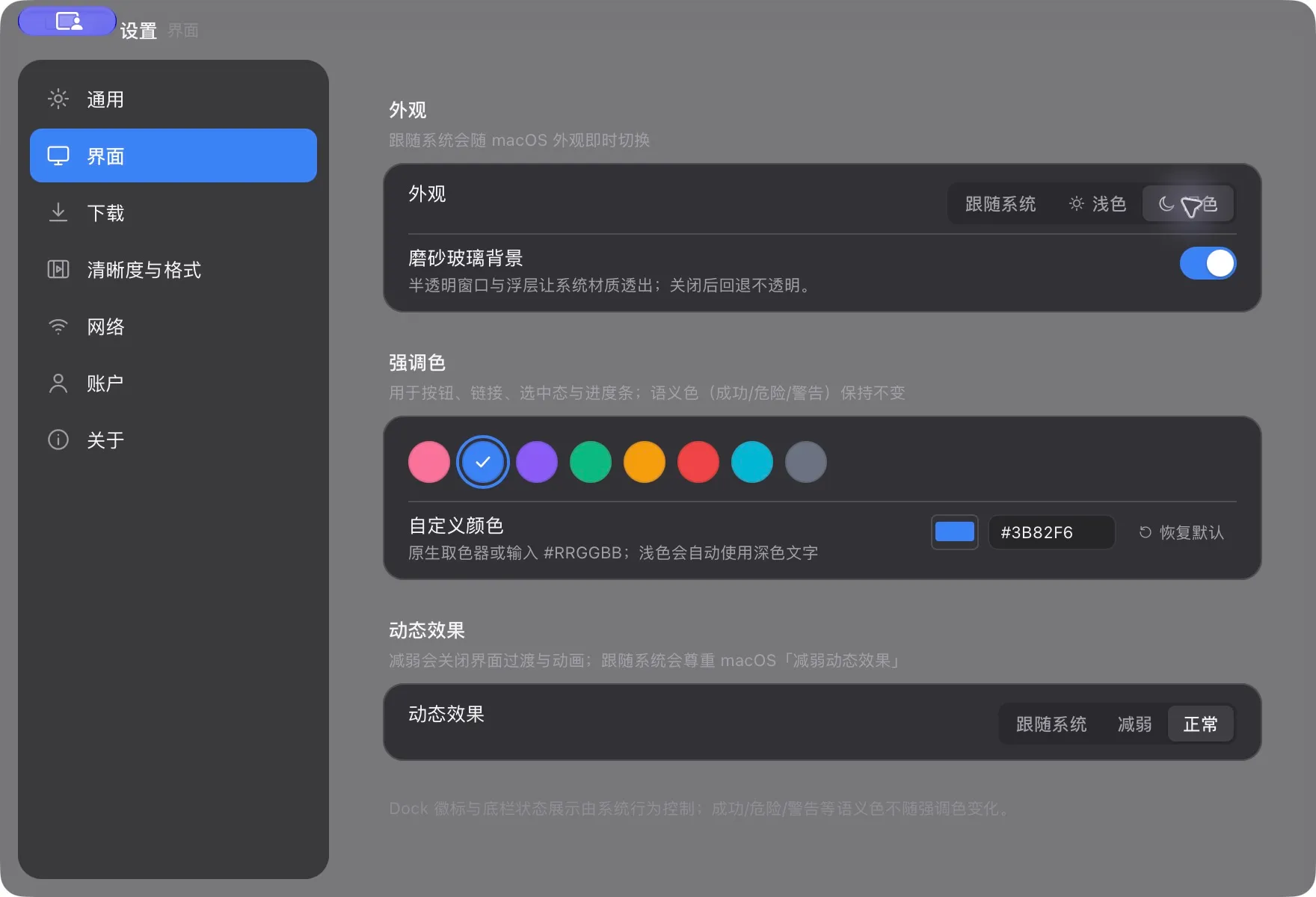
The real bilidown appearance settings with theme, glass background and accent colors The real bilidown appearance settings with theme, glass background and accent colors

Appearance settings · Real interface from the current release

06

Data and platforms

Tasks, settings and cache stay local. The app supports desktop platforms.

  • macOS Apple Silicon and Windows x64
  • ffmpeg is included
  • Cache cleanup keeps downloaded files
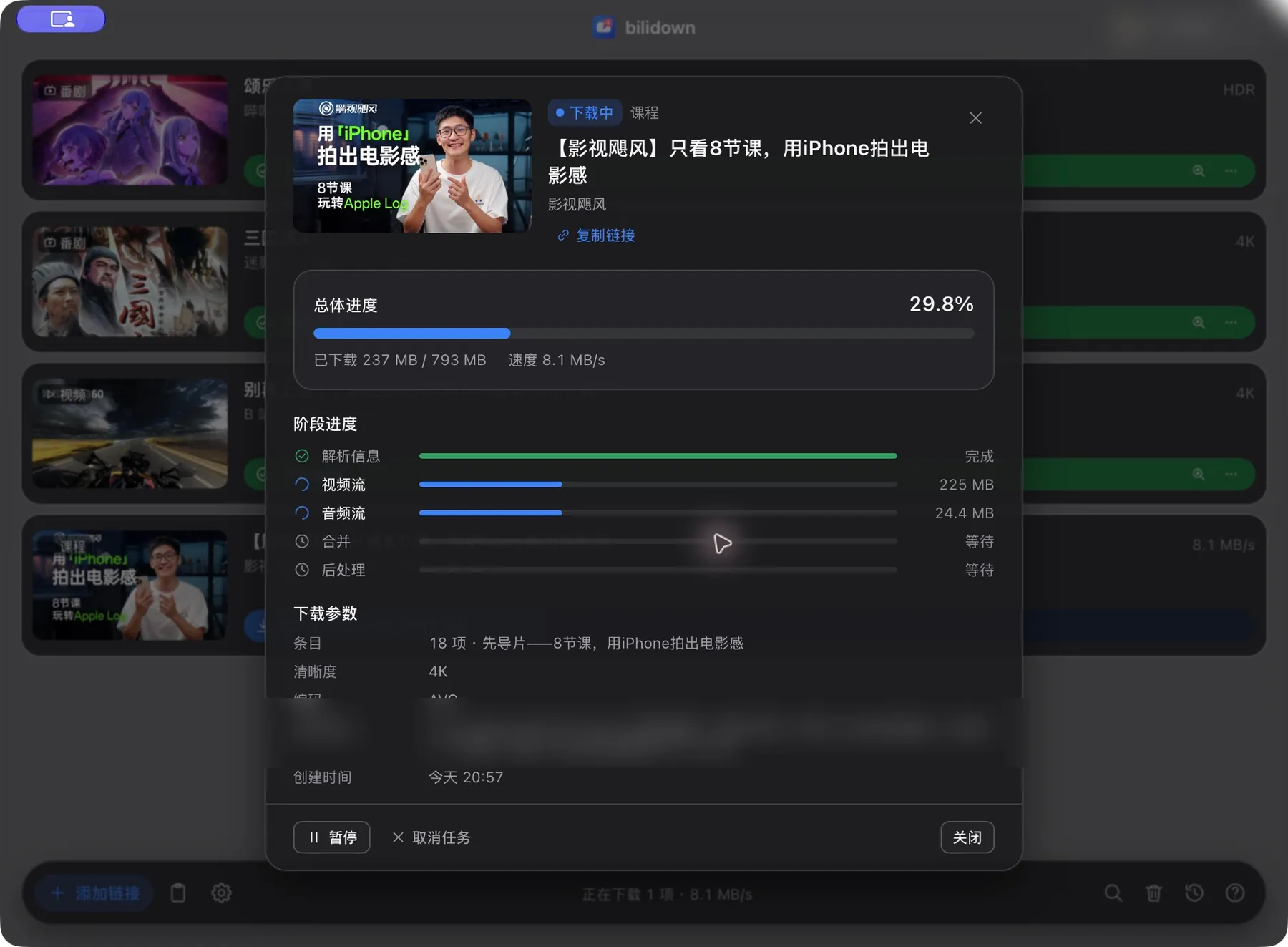
The real bilidown task detail view with overall progress, stages and download settings The real bilidown task detail view with overall progress, stages and download settings

Task details · Real interface from the current release

Not supported yet

The current release is available only for macOS Apple Silicon and Windows x64.

  • Intel Macs, Linux desktop, ARM Windows and mobile apps
  • Danmaku, NFO, in-app search and password or SMS sign-in
  • Bypassing membership limits or copyright protection

Download bilidown

Choose the macOS or Windows installer.

产品速查 / Product quick reference FAQ · facts · support
01

第一次下载怎么做?

粘贴 B 站链接,选择清晰度,然后在队列中查看进度。

How do I use bilidown?

Paste a Bilibili link, choose a quality and follow the download queue

02

什么时候需要登录?

只有下载账号权限内的高画质时才需要扫码登录。

When do I need to sign in?

Sign in only for quality available to your Bilibili account

03

文件保存在哪里?

默认保存在系统“下载”目录。

可在设置中修改。

Where are downloaded files saved?

Files go to the system Downloads folder by default and can be changed in Settings

04

为什么需要校验安装包?

SHA256 校验可以确认文件与 GitHub Release 发布内容一致。

Why should I verify the installer?

SHA256 confirms that the file matches the official GitHub Release

05

支持哪些平台?

当前支持 macOS Apple Silicon 与 Windows x64。

Which platforms are supported?

The current release supports macOS Apple Silicon and Windows x64

06

数据保存在哪里?

任务、历史、Cookie 和设置保存在本机。

Where does bilidown store data?

Tasks, history, cookies and settings stay on your device

07

支持哪些链接和内容?

支持普通视频、番剧、课程、音频单曲和音频歌单。

可识别常见 bilibili.com 链接和 b23.tv 短链。

Which links and content types are supported?

bilidown supports videos, Bangumi, courses, audio tracks and audio playlists from common bilibili.com links and b23.tv short links

08

可以逐项选择吗?

可以。

多 P、分集、课程章节、音频歌单和合集都能逐项选择。

只处理你勾选的条目。

Can I choose individual items?

Yes

Select individual video parts, episodes, course chapters, audio tracks and collection items

Only selected items are processed

09

下载任务可以控制吗?

任务可以暂停、继续、取消和重试。

也支持批量继续和重试失败任务。

Can I control downloads?

Pause, resume, cancel and retry individual tasks

The app also supports resuming all tasks and retrying failed tasks

10

可以同时下载多少个?

同时下载数量可在 1 到 8 项之间调整。

默认值是 3 项。

How many downloads can run at once?

The concurrency setting accepts 1 to 8 tasks

The default is 3

11

清晰度、编码和音频怎么选?

可选择最高可用或指定清晰度。

视频编码支持 AVC、HEVC 和 AV1。

音频可保留原格式或转为 MP3。

How are quality, codecs and audio selected?

Choose the best available or a fixed quality

Video supports AVC, HEVC and AV1

Audio can keep its source format or be converted to MP3

12

字幕和封面是默认下载吗?

不是。

字幕 SRT 和封面 JPG 都是可选开关。

没有可用轨道时不会影响主视频。

Are subtitles and covers downloaded by default?

No

SRT subtitles and JPG covers are optional

A missing track does not fail the main download

13

更新会静默安装吗?

不会。

应用可以检查和下载更新,并校验 SHA256。

安装包仍由你手动打开安装。

Are updates installed silently?

No

The app can check for, download and verify an update, but you still open the installer manually

14

缓存和日志会删除下载文件吗?

不会。

清理功能只处理封面缓存、临时文件和日志,不会删除下载文件、设置、历史或凭据。

Can cache cleanup delete downloaded files?

No

Cleanup is limited to cover cache, temporary files and logs

Downloads, settings, history and credentials are preserved

15

还有哪些平台或功能不支持?

当前没有 Intel Mac、Linux、ARM Windows 或移动端构建。

应用也不绕过会员、地区或版权限制。

Which platforms or features are unavailable?

There are no Intel Mac, Linux, ARM Windows or mobile builds

The app does not bypass membership, regional or copyright restrictions

产品要点

  • 由 Rust + Tauri 构建,轻巧快速。
  • 支持 macOS Apple Silicon。
  • 支持 Windows x64。
  • 支持视频、番剧、课程与音频。
  • 多 P 与合集可以逐项选择。
  • 安装包已经内置 ffmpeg。
  • 字幕和封面都是可选项。
  • 登录凭据保存在本机。
  • 不是哔哩哔哩官方客户端。
  • 每个 Release 提供 SHA256 校验文件。

Product facts

  • Built with Rust and Tauri for a small, fast app
  • Supports macOS on Apple Silicon
  • Supports Windows x64
  • Supports video, Bangumi, courses and audio
  • Multi-part videos and collections support item selection
  • The installer includes ffmpeg
  • Subtitles and covers are optional
  • Login credentials stay on this device
  • It is not an official Bilibili client
  • Each release provides a SHA256 checksum file

来源 / Source: bilidown source repository, official GitHub Releases and product privacy policy.