01
添加与选择内容
粘贴 B 站链接。多 P、分集和合集可以逐项选择。
- 支持视频、番剧、课程与音频
- 支持常见 B 站分享链接
- 可以一次添加多条链接
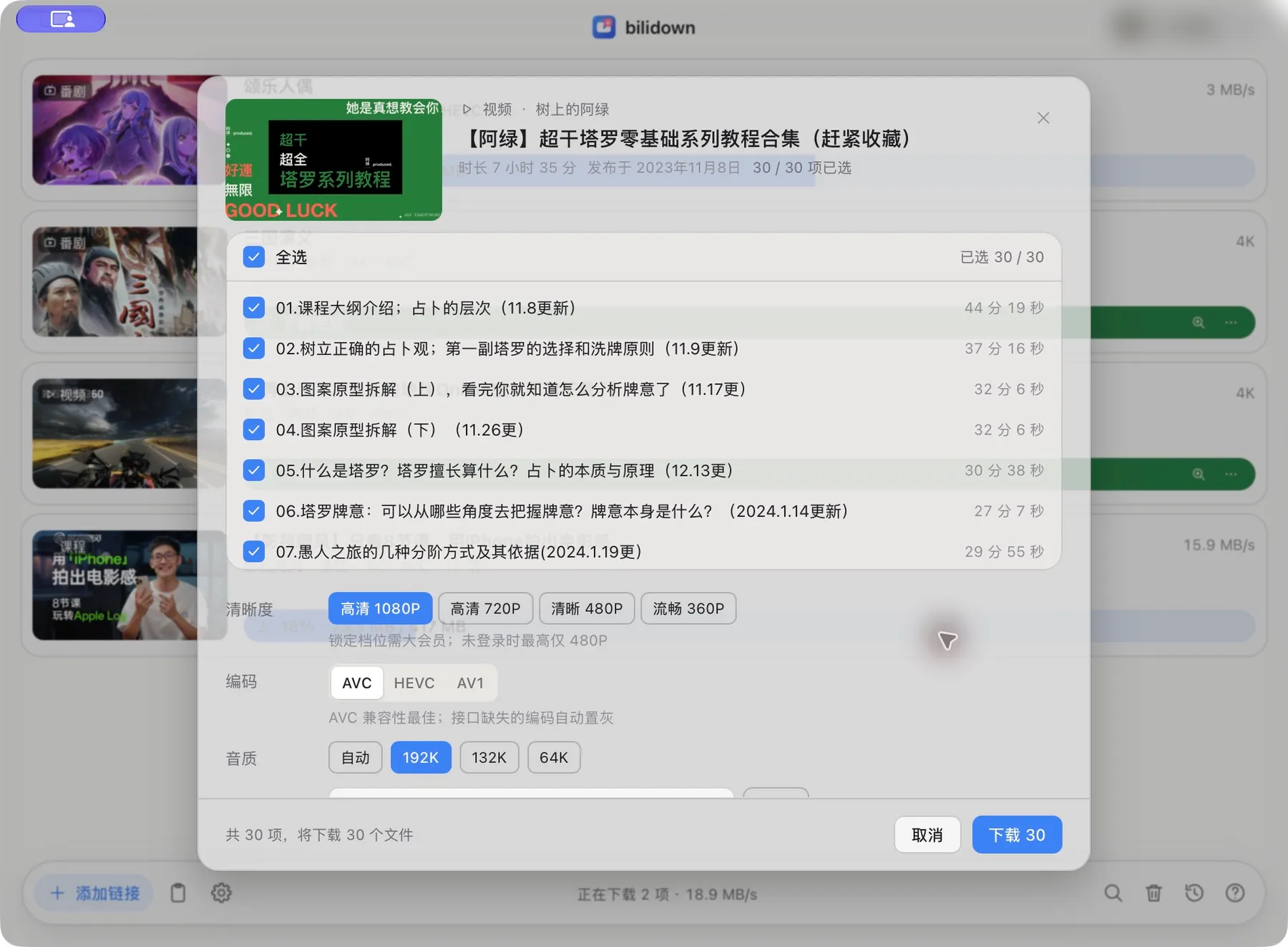
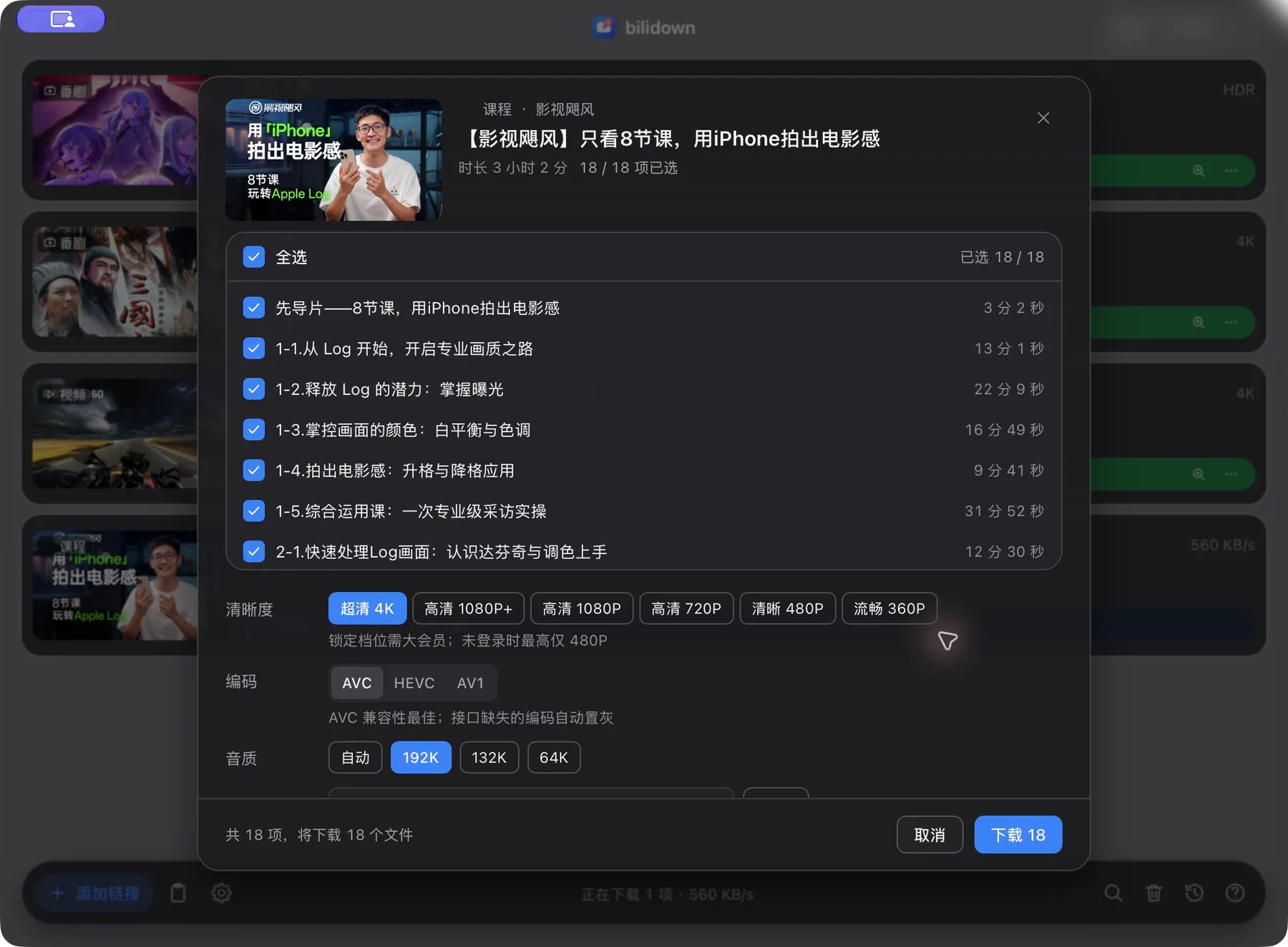
多条目选择 · 当前版本真实界面
功能
粘贴链接,选择清晰度,然后保存到本地。
粘贴 B 站链接。多 P、分集和合集可以逐项选择。
多条目选择 · 当前版本真实界面
任务在本地队列中下载。可以暂停、继续、取消或重试。
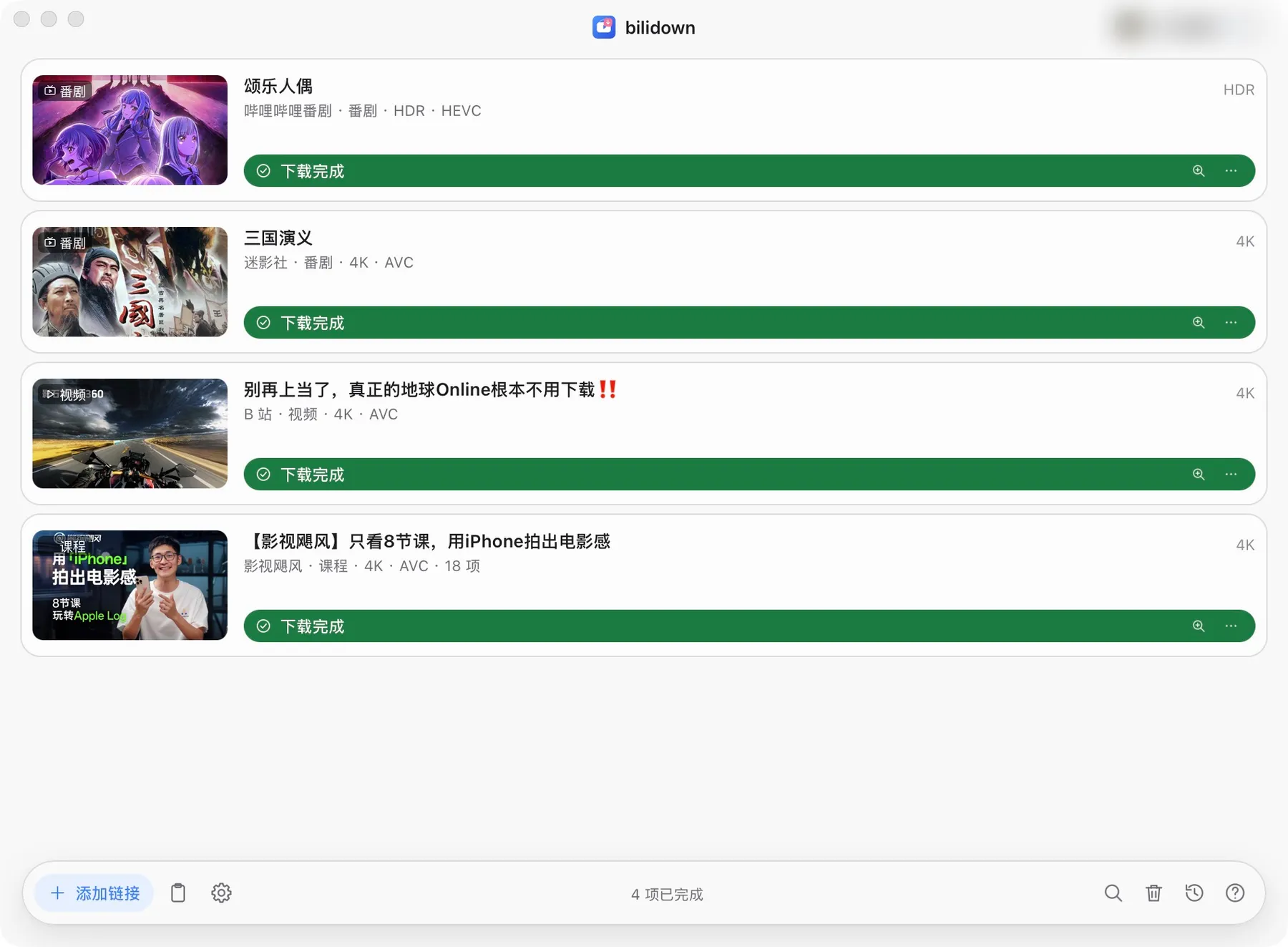
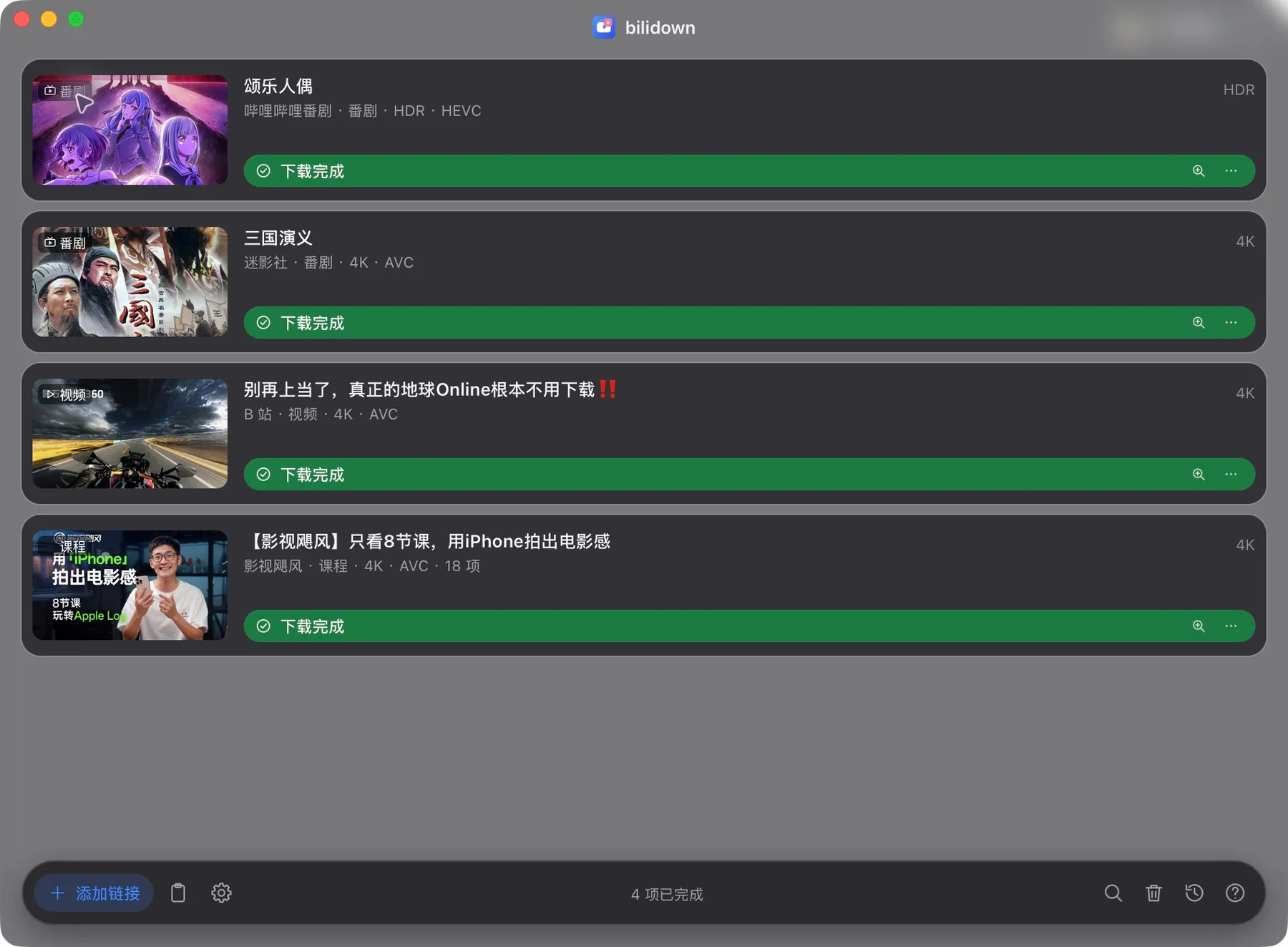
下载队列 · 当前版本真实界面
清晰度按账号权限显示。安装包已内置 ffmpeg。
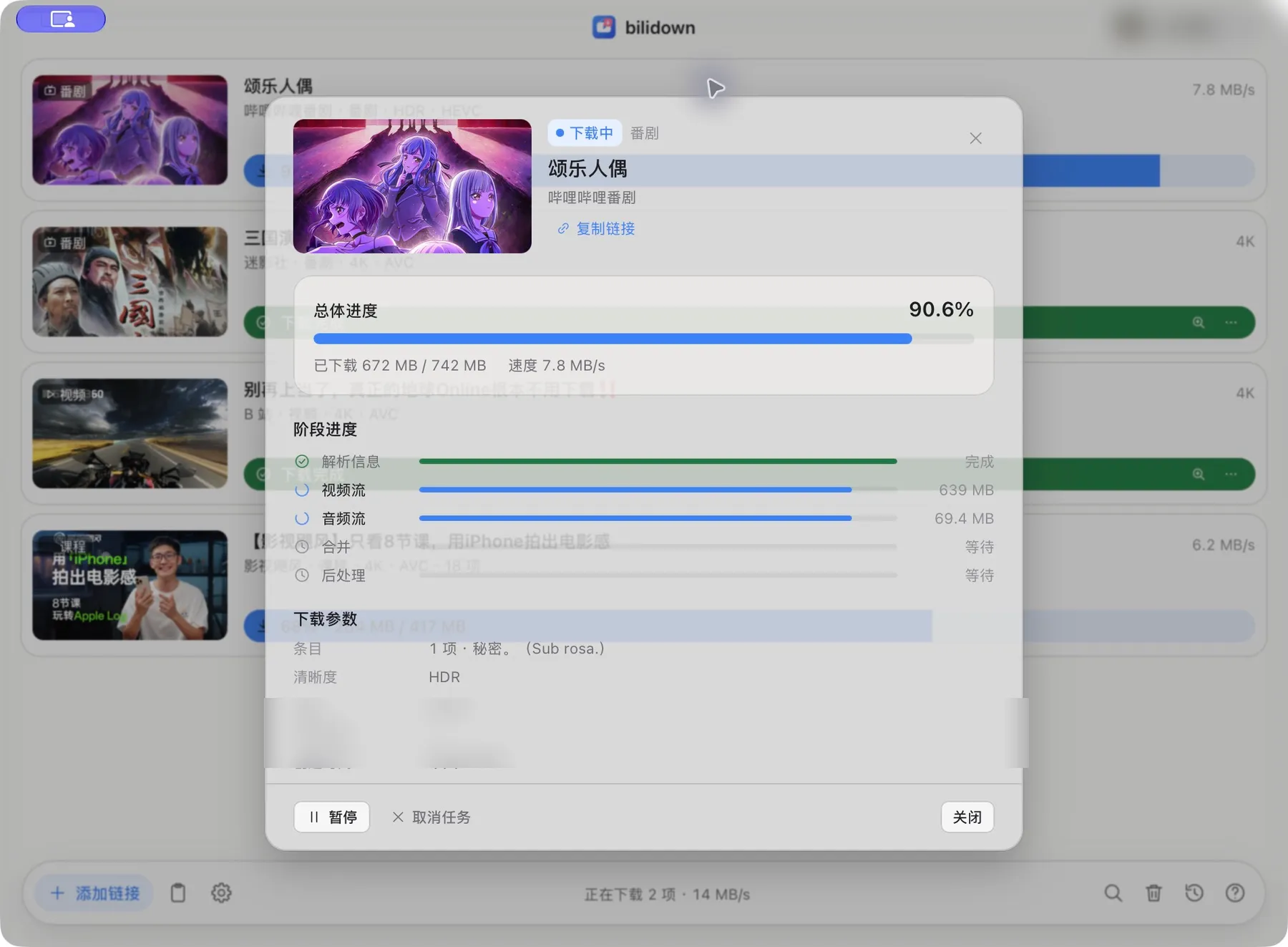
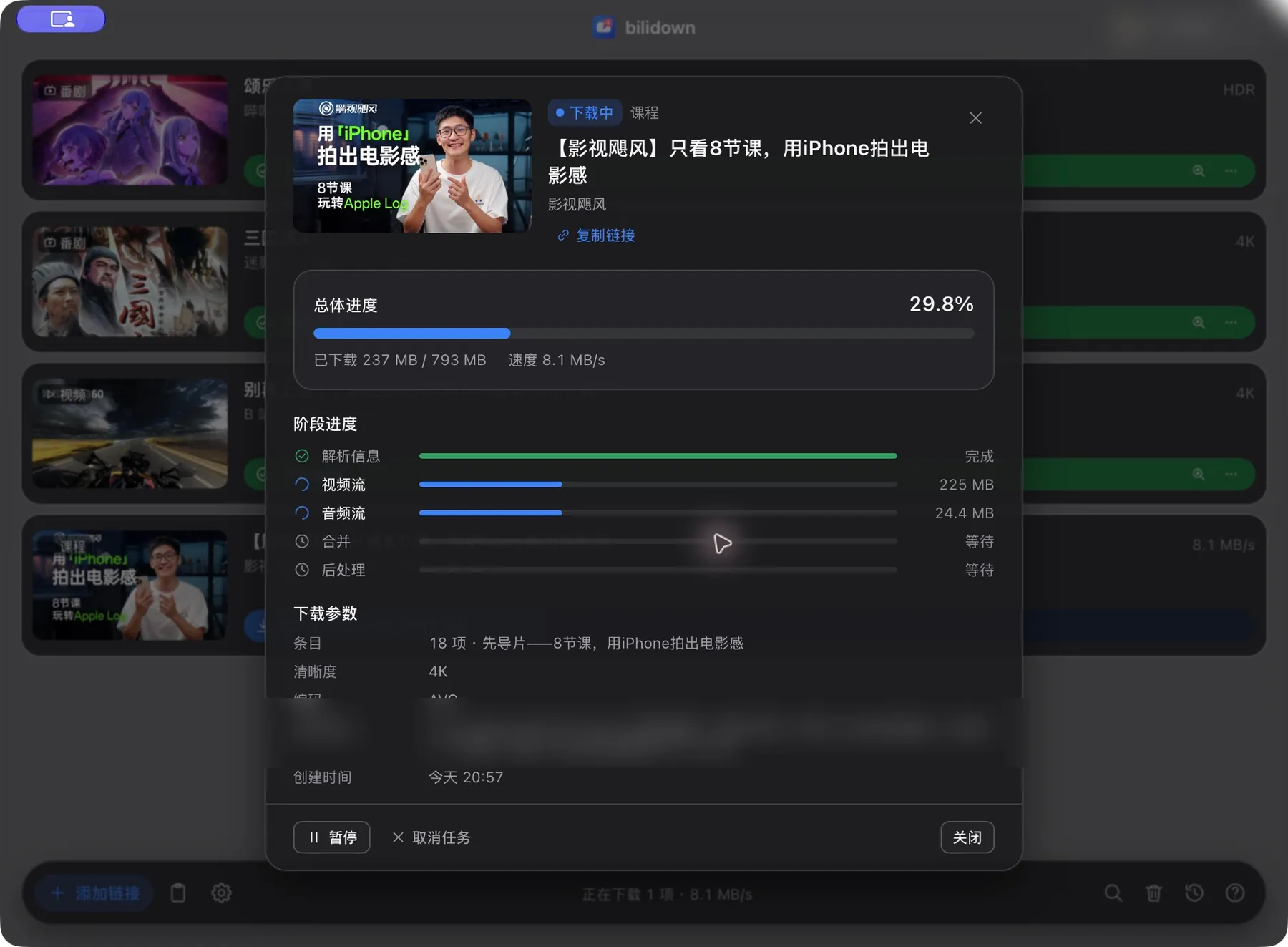
任务详情 · 当前版本真实界面
历史和文件保存在本机。可以搜索记录并定位文件。
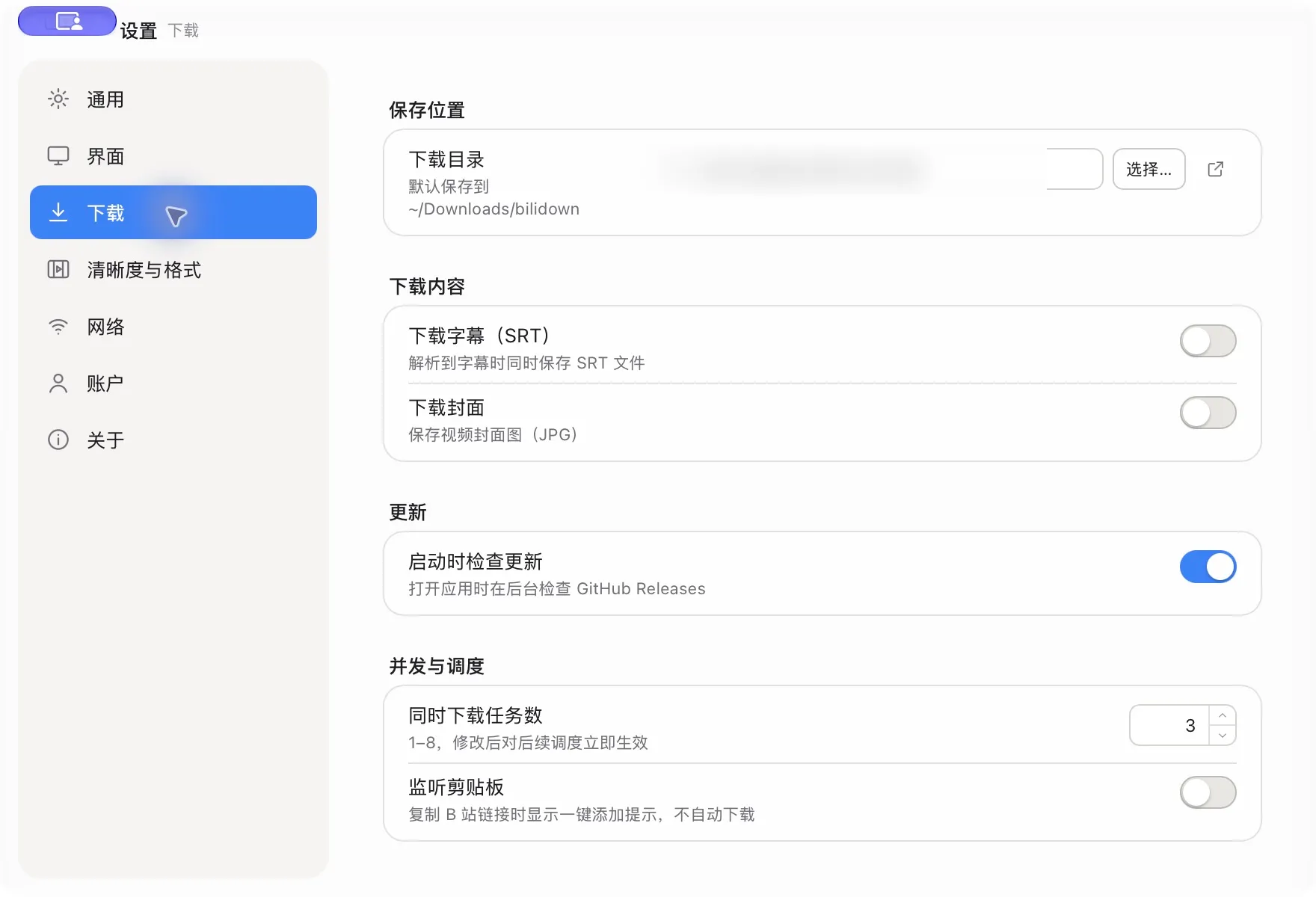
下载内容设置 · 当前版本真实界面
需要账号权限内的高画质时,使用 B 站 App 扫码登录。
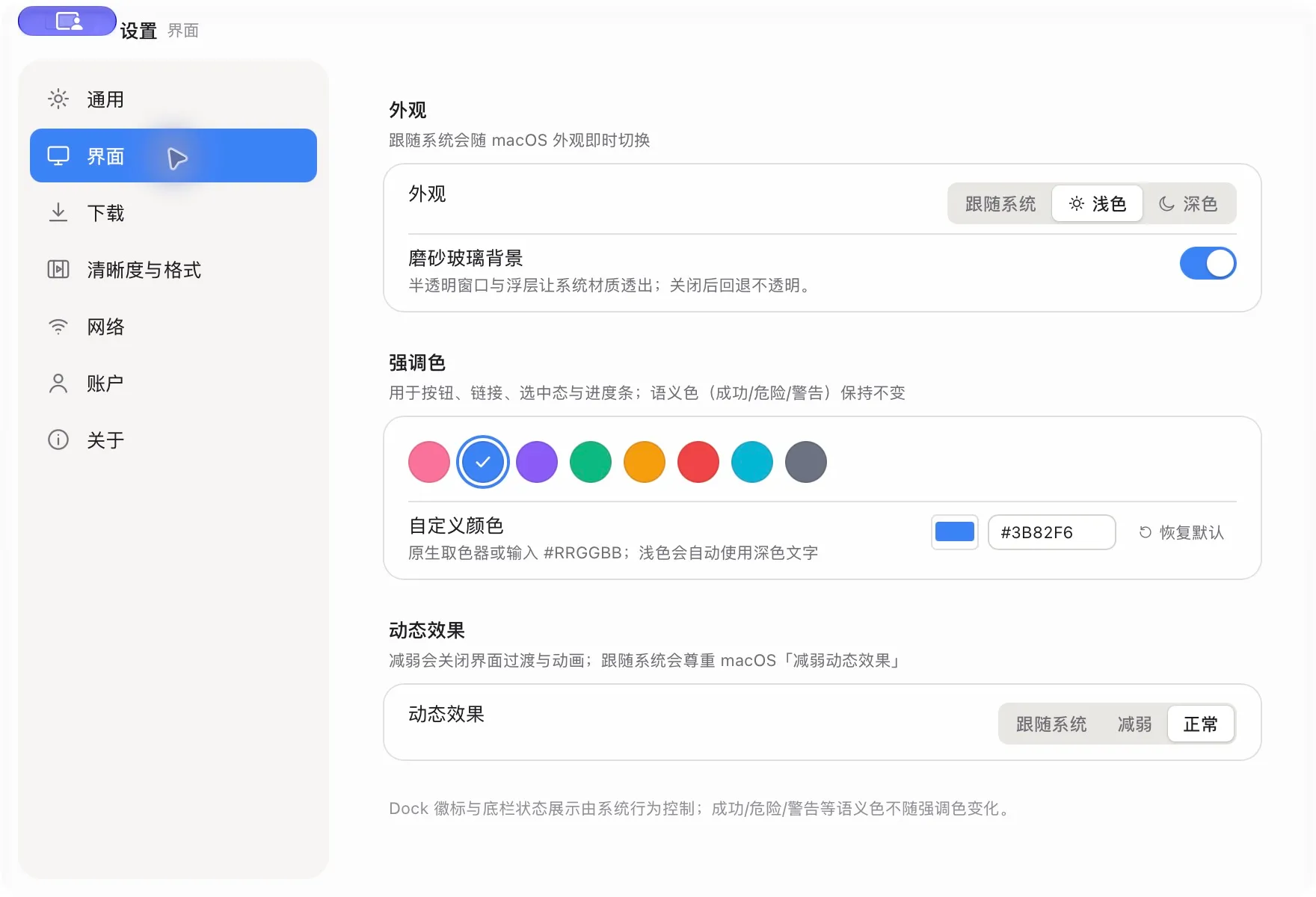
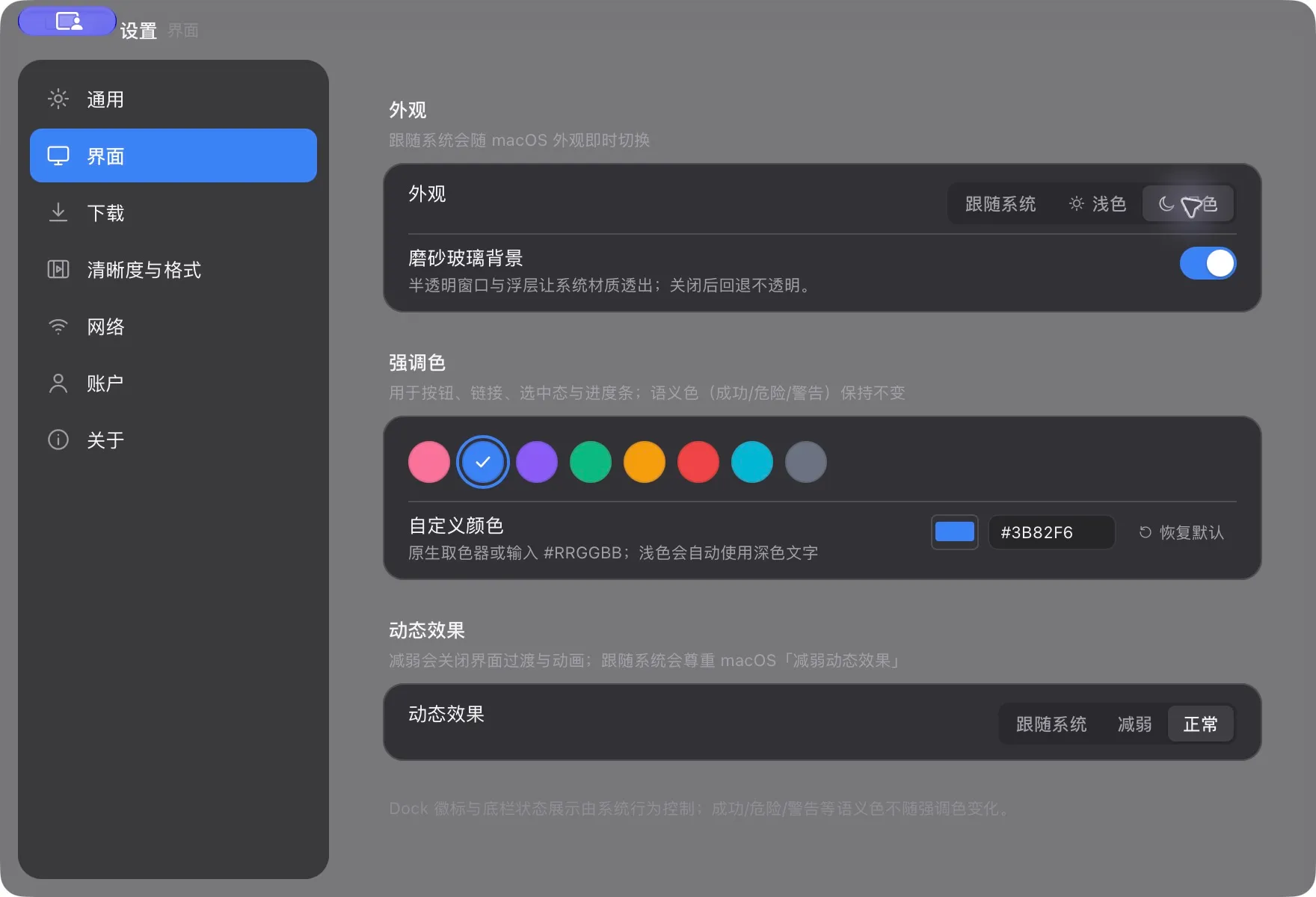
外观设置 · 当前版本真实界面
任务、设置和缓存保存在本机,只支持桌面平台。
任务详情 · 当前版本真实界面
当前版本只提供 macOS Apple Silicon 与 Windows x64。
粘贴 B 站链接,选择清晰度,然后在队列中查看进度。
Paste a Bilibili link, choose a quality and follow the download queue
只有下载账号权限内的高画质时才需要扫码登录。
Sign in only for quality available to your Bilibili account
默认保存在系统“下载”目录。
可在设置中修改。
Files go to the system Downloads folder by default and can be changed in Settings
SHA256 校验可以确认文件与 GitHub Release 发布内容一致。
SHA256 confirms that the file matches the official GitHub Release
当前支持 macOS Apple Silicon 与 Windows x64。
The current release supports macOS Apple Silicon and Windows x64
任务、历史、Cookie 和设置保存在本机。
Tasks, history, cookies and settings stay on your device
支持普通视频、番剧、课程、音频单曲和音频歌单。
可识别常见 bilibili.com 链接和 b23.tv 短链。
bilidown supports videos, Bangumi, courses, audio tracks and audio playlists from common bilibili.com links and b23.tv short links
可以。
多 P、分集、课程章节、音频歌单和合集都能逐项选择。
只处理你勾选的条目。
Yes
Select individual video parts, episodes, course chapters, audio tracks and collection items
Only selected items are processed
任务可以暂停、继续、取消和重试。
也支持批量继续和重试失败任务。
Pause, resume, cancel and retry individual tasks
The app also supports resuming all tasks and retrying failed tasks
同时下载数量可在 1 到 8 项之间调整。
默认值是 3 项。
The concurrency setting accepts 1 to 8 tasks
The default is 3
可选择最高可用或指定清晰度。
视频编码支持 AVC、HEVC 和 AV1。
音频可保留原格式或转为 MP3。
Choose the best available or a fixed quality
Video supports AVC, HEVC and AV1
Audio can keep its source format or be converted to MP3
不是。
字幕 SRT 和封面 JPG 都是可选开关。
没有可用轨道时不会影响主视频。
No
SRT subtitles and JPG covers are optional
A missing track does not fail the main download
不会。
应用可以检查和下载更新,并校验 SHA256。
安装包仍由你手动打开安装。
No
The app can check for, download and verify an update, but you still open the installer manually
不会。
清理功能只处理封面缓存、临时文件和日志,不会删除下载文件、设置、历史或凭据。
No
Cleanup is limited to cover cache, temporary files and logs
Downloads, settings, history and credentials are preserved
当前没有 Intel Mac、Linux、ARM Windows 或移动端构建。
应用也不绕过会员、地区或版权限制。
There are no Intel Mac, Linux, ARM Windows or mobile builds
The app does not bypass membership, regional or copyright restrictions
来源 / Source: bilidown source repository, official GitHub Releases and product privacy policy.